Mermaid
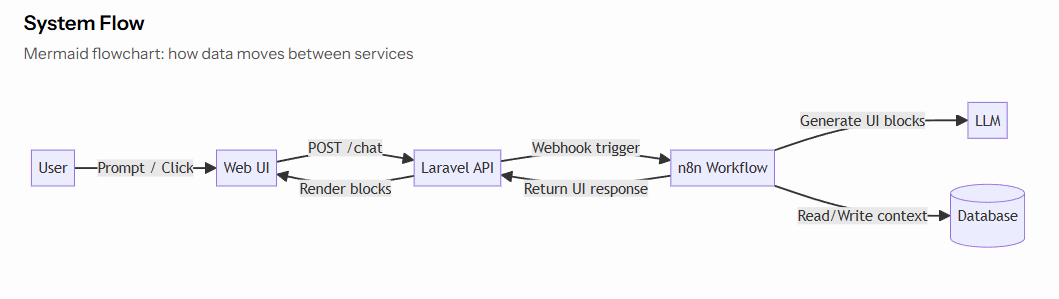
A mermaid UI type is used to display a Mermaid diagram in AI chat. In your AI Agent builder you should response in output key with this format:
tip
Title and description are optional. If you need to display only mermaid diagram data you can omit them.
Mermaid diagram should be in data.syntax field. You can use Mermaid syntax to create a diagram.
Mermaid diagram should be a JSON stringified string.
For example: "flowchart LR \n\nU[User] -->|Prompt / Click| UI[Web UI] \n\nUI -->|POST /chat| API[Laravel API]"
If you are using N8N as your AI Agent platform, you can use a Code Node to create a Mermaid string. For example:
return [{
  mermaid: `
flowchart LR
  U[User] -->|Prompt / Click| UI[Web UI]
  UI -->|POST /chat| API[Laravel API]
  API -->|Webhook trigger| N8N[n8n Workflow]
  N8N -->|Generate UI blocks| LLM[LLM]
  N8N -->|Read/Write context| DB[(Database)]
  N8N -->|Return UI response| API
  API -->|Render blocks| UI
`
}];
and then use it in this format:
output:
[
.... can be other ui types ...
  {
    "ui_type": "mermaid",
    "title": "System Flow",
    "description": "Mermaid flowchart: how data moves between services",
    "data": {
      "syntax": {{ JSON.stringify($json.mermaid) }}
    }
  },
... can be other ui types ...
]
Result: